egui + eframe on the Web: An Honest Post-Mortem
I wanted to learn how to write Rust for the browser. Not a hello-world — I wanted to actually ship a real Rust GUI to the web and find out what that takes. While I was poking around for how people do this, I kept running into egui: an immediate-mode GUI library that compiles to WebAssembly and calls itself, in its own README, “the simplest way to make a web app in Rust.” That was the experiment I wanted to run.
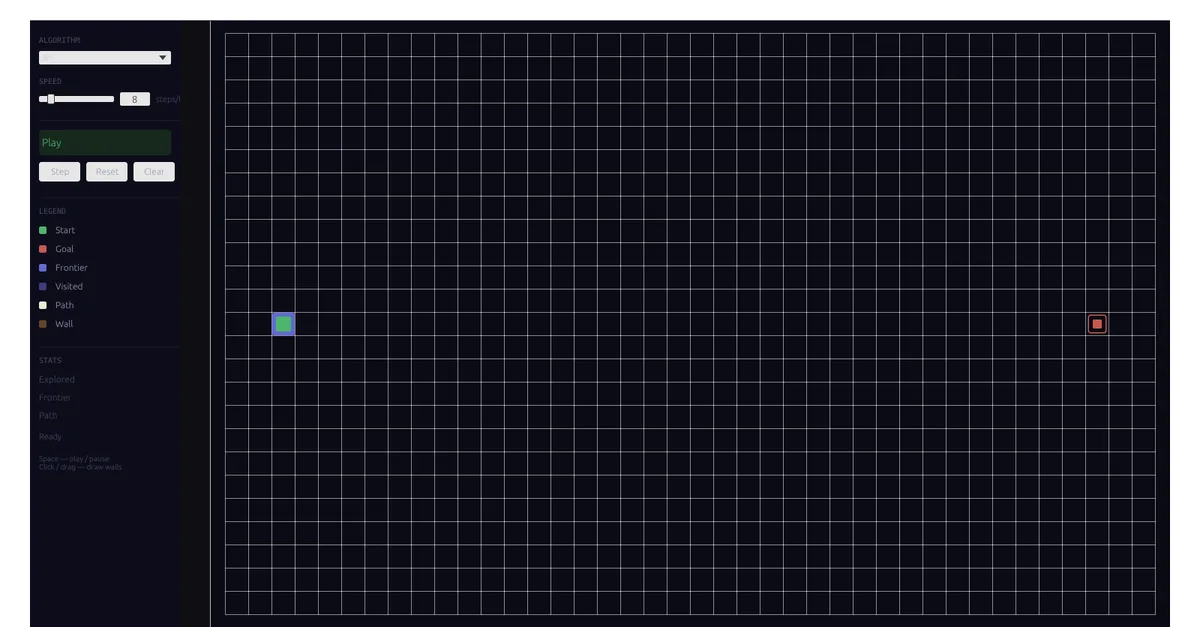
I can’t judge a UI toolkit by reading its docs, so I needed to build something real with it. I picked a pathfinding visualizer — a grid, a few search algorithms, live animation, mouse interaction to draw walls. Enough moving parts to lean on the whole pipeline: rendering, input, layout, and the Rust-to-browser boundary. It’s live at /labs/pathfinding-viz; go play with it before you read what I concluded.
This is me writing down what that build was actually like, not a tutorial. If you’re deciding whether egui + eframe belongs in your own web project, here’s what it cost me.
I first built this in early 2023 on egui 0.21 — what was current that spring. I brought the dependencies and this writeup up to egui/eframe 0.33.x in 2026, so the version-specific notes below (and the API churn) come from that update.
Getting it into the browser was the easy part
This surprised me. I’d braced for the Rust-to-web boundary to be the hard part,
and it just wasn’t. The whole lab is one small Rust crate, and wasm-pack turns it
into a .wasm binary plus a bit of JavaScript glue. The one sharp edge I caught:
wasm-pack resolves its output directory relative to the crate, not my shell, so it
scattered files somewhere I didn’t expect — after that I just handed it absolute
paths and moved on.
What made it painless was the web target, which emits a plain ES module the
browser imports directly. Vite didn’t need any special configuration. A tiny React
island imports the glue, kicks off the fetch-and-compile of the binary, and hands
eframe the canvas. From that moment eframe owns the canvas, and neither React nor
Astro ever touches it again. The whole integration is a handful of lines — they’re
in the repo if you want them, but pasting them here wouldn’t tell you anything the
last sentence didn’t.
Coming back in 2026 turned up one bit of trivia worth passing on: the rustwasm GitHub org was sunset in mid-2025. wasm-pack lives on under an independent maintainer, but the canonical docs URL I’d bookmarked is dead now. If you go looking, link the maintained book, not the tutorial you remember.
So the part I’d worried about delivered exactly what it promised. All the friction was everywhere else.
Immediate mode is the right shape for this
egui is immediate-mode: no retained widget tree, no callbacks. Every frame, eframe asks you to describe the entire UI from scratch. For a search visualizer that’s not overhead — it’s the whole idea. The render loop and the simulation loop become the same loop. Each frame I advance the search a few steps, then paint every cell exactly as it stands at that instant. Nothing to invalidate, no event plumbing between “the search moved” and “the screen changed.” The speed slider just decides how many steps happen per frame.
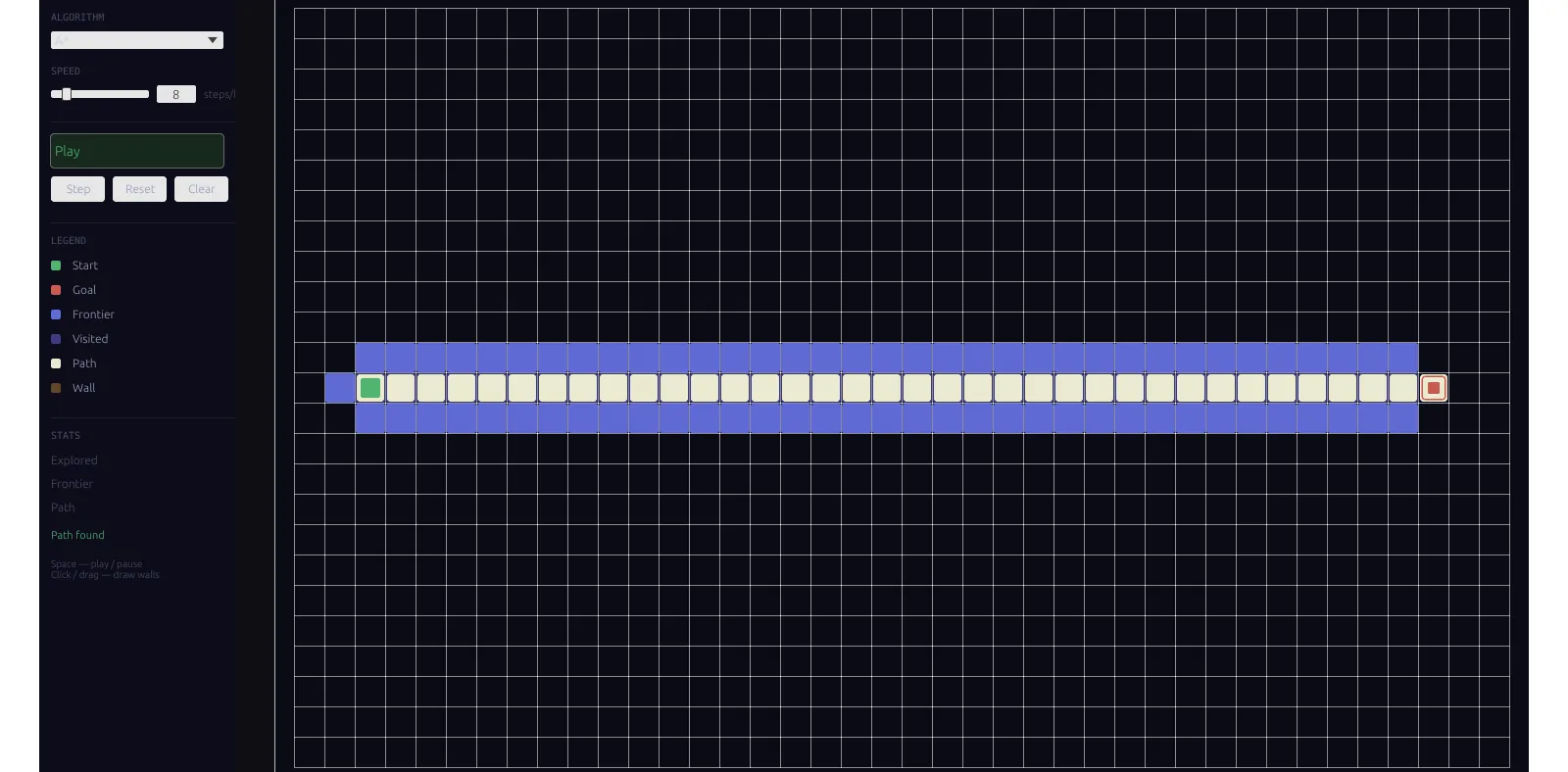
The lab after A* finishes: the indigo wash is the visited set, the warm-white line is the path. Every cell you see is redrawn from scratch each tick — the render loop is the search loop.
The part I genuinely enjoyed was the search code underneath. One small state struct serves all four algorithms, the compiler makes me handle every case, and nothing mutates behind my back. The same thing in JavaScript would have been looser and easier to get subtly wrong, and I’d have trusted it less. If I stopped writing here, this would read like a love letter to Rust on the web.
I’m not going to stop here.
The canvas sizing trap
This is the bug that ate a day of my life. On a 2x display, after I “fixed” what I thought was a DPR scaling problem, every click started landing at half its correct position.
Here’s what eframe actually does on the web — I went and read the eframe source for this, because the docs didn’t tell me. It splits across two mechanisms:
- Canvas buffer sizing uses a
ResizeObserver. When the browser supportsdevicePixelContentBoxSize, eframe reads the canvas size in physical device pixels directly and applies no DPR math at all. Otherwise it falls back tocontentBoxSize(CSS pixels) multiplied bywindow.devicePixelRatio. - Pointer mapping and UI scale (
pixels_per_point) readwindow.devicePixelRatioseparately.
The trap is the obvious fix. I reached for the usual canvas-DPR remedy — force
devicePixelRatio to 1 from JavaScript — and that desynchronized the two halves.
On Chromium and Firefox the buffer was still being sized in real physical pixels,
but pointer mapping now believed the display was 1:1, so every click landed at half
position on my 2x screen. I spent a day in there, fixing the symptom and making it
worse.
The fix was to delete my fix. Let eframe read the real devicePixelRatio and both
halves agree again, on every browser. The only correct move was no move at all —
which is a humbling thing to land on after a day of moving.
Two things made this miserable to debug. First, headless browsers report DPR
differently from real ones, so my Playwright checks kept telling me everything was
fine when it wasn’t. Second, the devicePixelContentBoxSize path is barely
documented — almost all the canvas-DPR advice I found online describes the
contentBoxSize path, which behaves differently.
One scoping note, because I only learned this later: devicePixelContentBoxSize is
a Chromium/Firefox feature. Safari doesn’t support it — MDN’s compatibility table is
blunt about it, and eframe’s own 0.28 changelog says the ResizeObserver approach
gives “pixel-perfect rendering on all known browsers except for Desktop Safari.” On
Safari, eframe takes the CSS-pixels-times-DPR fallback, so the way it breaks when
you lie about DPR is different — but the do-nothing fix is right everywhere.
What broke between 0.29 and 0.33
When I came back in 2026 to modernize the dependencies, the jump from 0.21 up to 0.33.3 crossed three breaking changes. I’m attributing them to the right versions on purpose, because none of them actually landed in 0.33:
WebRunner::start()switched from canvas id strings toHtmlCanvasElementin 0.29.painter.rect_stroke()grew a required fourthStrokeKindargument, andRoundingbecameCornerRadius, in 0.31.Slider::clamp_to_rangegave way toSliderClampingin 0.29.
The compile errors were clear and the fixes were mechanical — the cost was volume, not mystery. But it’s a real cost, and egui’s README doesn’t hide it: “If you want something that doesn’t break when you upgrade it, egui isn’t for you (yet).” Take that at face value and budget the upgrade time.
What you give up
Everything above is the good half. Here’s what I gave up to ship egui on the web, and to be fair, none of it ambushed me — most of it is right there in eframe’s own README (“almost nothing else from the web tech stack” is used).
Your page’s typography doesn’t exist inside the canvas. egui rasterizes glyphs itself into a font atlas, and the README’s limitations list says it plainly: “No integration with browser settings for colors and fonts.” The 0.33 build the lab ships draws text with ab_glyph and no hinting, which is one concrete reason small text looks soft to me. egui 0.34 switched to skrifa + vello_cpu with hinting and that sharpens it up, but browser fonts are still off the table. No matter how much I tuned the palette, the UI reads as a desktop tool dropped into a web page, not as part of the page.
No CSS, no transitions, no easing. Everything is a painter call — filled rects, strokes, circles. The cell fade-ins and path-reveal animations a JS visualizer gets nearly for free turn into per-frame alpha bookkeeping in egui. I skipped them; the lab snaps between states instead of animating them. That was a choice I made to save my time, and you can see it.
Screen readers see nothing. egui supports AccessKit, but as of mid-2026 AccessKit’s web adapter is still listed as planned, not shipped. eframe ships an experimental opt-in screen reader of its own, but standard assistive tooling can’t see into the canvas at all. For a demo lab I decided that was a trade-off I could make and disclose. For anything actually user-facing, this is where I’d stop.
Cursor affordances need opting in. Here I have to correct something I believed
while building it: eframe does map egui cursor icons to CSS cursors — the web
backend sets the canvas cursor style every frame. What it doesn’t do is apply web
conventions for you. Buttons won’t turn into a pointer unless you ask, via
on_hover_cursor. The mechanism is there; the defaults are just desktop-shaped.
The load gap is real. The .wasm fetch-and-compile takes a noticeable beat — a
couple hundred milliseconds on a fast connection, longer on mobile. I paint a dark
backdrop and a loading wasm… overlay so there’s no white flash while it loads. A
JS implementation simply doesn’t have this gap.
Mobile is a project of its own. egui thinks in pixels, not rem. There are no
breakpoints, eframe fakes the on-screen keyboard with invisible DOM elements, and
its README admits mobile text editing “is not as good as for a normal web app.” To
make the lab’s fixed-width side panel genuinely comfortable on a phone I’d have to
write my own layout branching — and I haven’t paid that bill.
The honest verdict
eframe’s README tells you what it’s for, directly: “web apps where performance and responsiveness are more important than accessibility and mobile text editing.” And egui’s: “If you want a GUI that looks native, egui is not for you.” Both of those held up against my build, every word. So here’s where I landed, and I’ll own it as my opinion: egui on the web is for developer tools, and for the cases where the WASM binary itself is the story.
If I’d built this same visualizer in canvas2d, it would look better with less code
— system fonts, CSS transitions, responsive layout, all of it free. What it
wouldn’t have is the algorithm layer underneath: the Rust SearchState design, the
exhaustive matching, a compiler catching my state-machine mistakes at build time.
For this lab the pipeline demo was the point, so the trade was worth it to me. It
won’t always be.
So I’d reach for egui + eframe on the web when the app is a developer tool (a profiler, an inspector, a config editor), when I’m porting an existing desktop egui app and just want it running in a browser without much effort, or when demonstrating the Rust-to-WASM pipeline is the actual goal. I’d skip it when the UI has to match a design system, needs animation or easing, has to be accessible, or when a React/Vue/Svelte component would take a tenth of the time and look better — because it would.
For the wider picture: Rust GUI on the web really splits into two families. DOM renderers — Dioxus, Leptos — keep browser text, CSS, and accessibility, because they render real DOM nodes. Canvas renderers — egui, Slint, and friends — inherit every trade-off I just walked through; Slint’s own docs even steer general-purpose web apps away from its browser target. Picking egui on the web means picking the canvas family. Just pick it knowing that’s what you’re doing.
Would I do it again
For this lab, yes. I set out to learn what shipping Rust to the browser feels like,
and now I know. But I’d walk in with my eyes open next time. I’d leave
devicePixelRatio alone from the very first commit instead of discovering at the
end why I should have. I’d keep the search code in plain Rust modules that test
without a browser in sight, because that’s the part that aged the best. And I’d
treat the dependency upgrade as a scheduled task with its own time budget, not as a
surprise. None of that is a recipe — it’s just what I’m left with after doing it
once.
The lab is live at /labs/pathfinding-viz. The algorithms were the fun part. The canvas was the bill.
Related Reading
- Personalized ADAS in CARLA — another build where the simulation loop was the product, with very different tooling.
- Valgrind on Linux — the same debugging discipline this DPR bug demanded, applied to native memory errors.
- Lidar Robot — where my path-planning obsession started: SLAM and navigation on a real holonomic robot.