Transformation matrix from D-H Parameters
Interactive tool to build a Denavit-Hartenberg robot, see its 3D kinematic chain, and read out the transformation matrices — with copy-to-NumPy/MATLAB/LaTeX.
| # | a | α (°) | d | θ (°) | type | |
|---|---|---|---|---|---|---|
| 1 | ||||||
| 2 | ||||||
| 3 | ||||||
| 4 | ||||||
| 5 | ||||||
| 6 |
Highlighted cell = the joint variable: θ for a revolute joint, d for a prismatic one.
Result — end-effector transform
T = T₁·T₂·…·TₙThe 4×4 homogeneous transform giving the pose of the last joint frame relative to the base. Read the position straight off the right column; the orientation is the top-left 3×3 (also shown as roll/pitch/yaw and a quaternion under the 3D view).
Per-joint transforms — each T₁·T₂·… factor (6)
Each joint's frame-to-frame transform. Multiplying them in order (T₁·T₂·…) gives the result above — useful for checking which joint a value comes from.
Enter a robot’s Denavit-Hartenberg parameters in the table and the tool builds the transformation from each joint frame to the next, multiplies them into the end-effector pose, and draws the kinematic chain in 3D. Load a preset to see a worked example, drag the 3D view to orbit, and copy any matrix straight into NumPy, MATLAB, or LaTeX. The URL updates as you edit, so a configuration can be bookmarked or shared.
New to DH parameters? How to derive them
DH parameters are the most common way to describe the joints and links of a serial robot for kinematics, control, and dynamics. Four numbers describe the relationship between two consecutive joint frames.
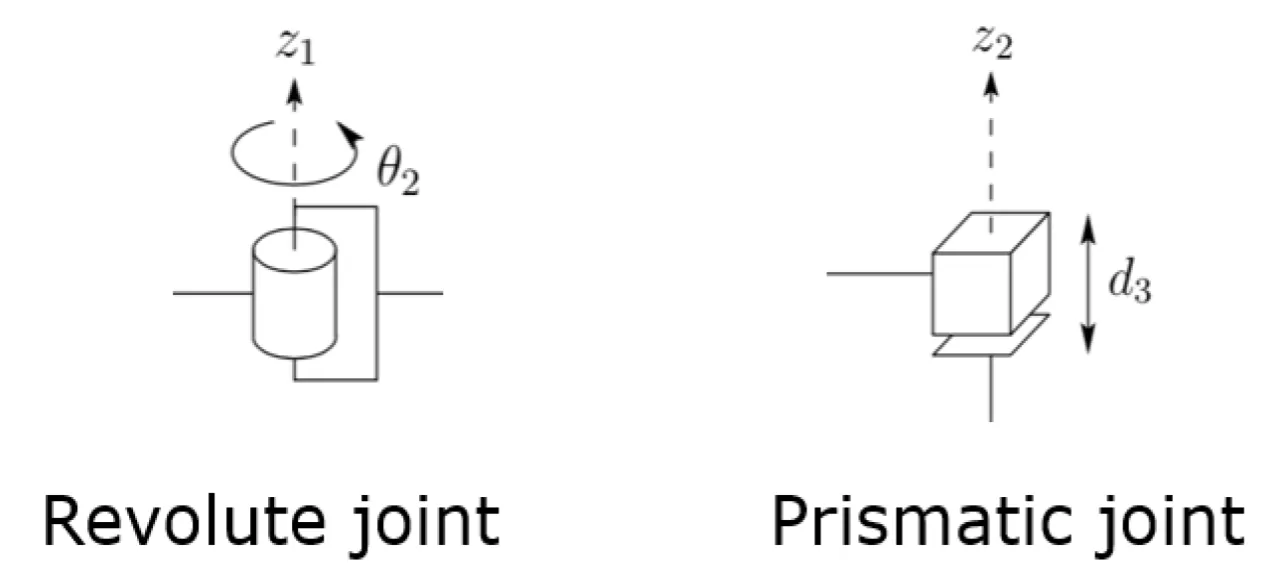
Step 1 — Define the Z axes
Choose zᵢ along the axis of motion of the (i+1)th link. Do this for every joint.
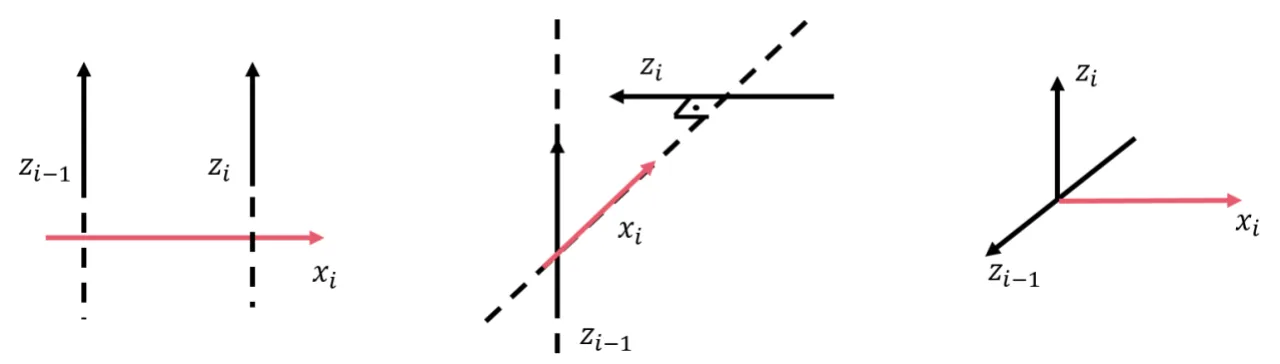
Step 2 — Define the X axes
Choose xᵢ as the shortest (common-normal) vector between zᵢ₋₁ and zᵢ.
Step 3 — Read off the four parameters
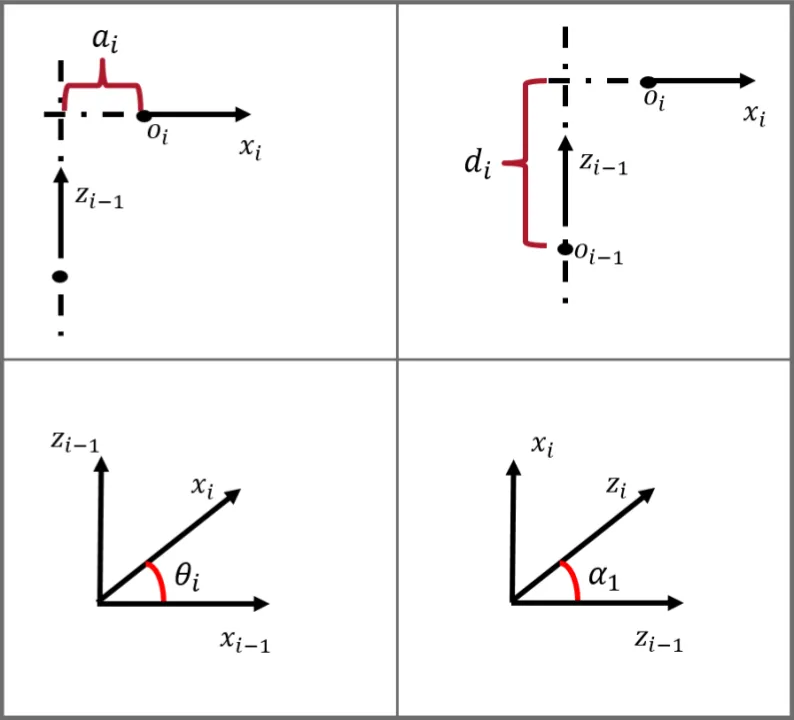
- aᵢ — distance between zᵢ₋₁ and xᵢ along xᵢ (link length)
- αᵢ — angle between zᵢ₋₁ and zᵢ about xᵢ, in degrees (link twist)
- dᵢ — distance between zᵢ₋₁ and xᵢ along zᵢ₋₁ (link offset)
- θᵢ — angle between xᵢ₋₁ and xᵢ about zᵢ₋₁, in degrees (joint angle)
The units of a and d must match (the tool is unit-agnostic — use mm or m consistently).
Worked example — ABB IRB120
The ABB IRB120 preset is the 6-DOF industrial arm below. The images show the robot, its DH frame assignments, and the parameter table the preset loads.
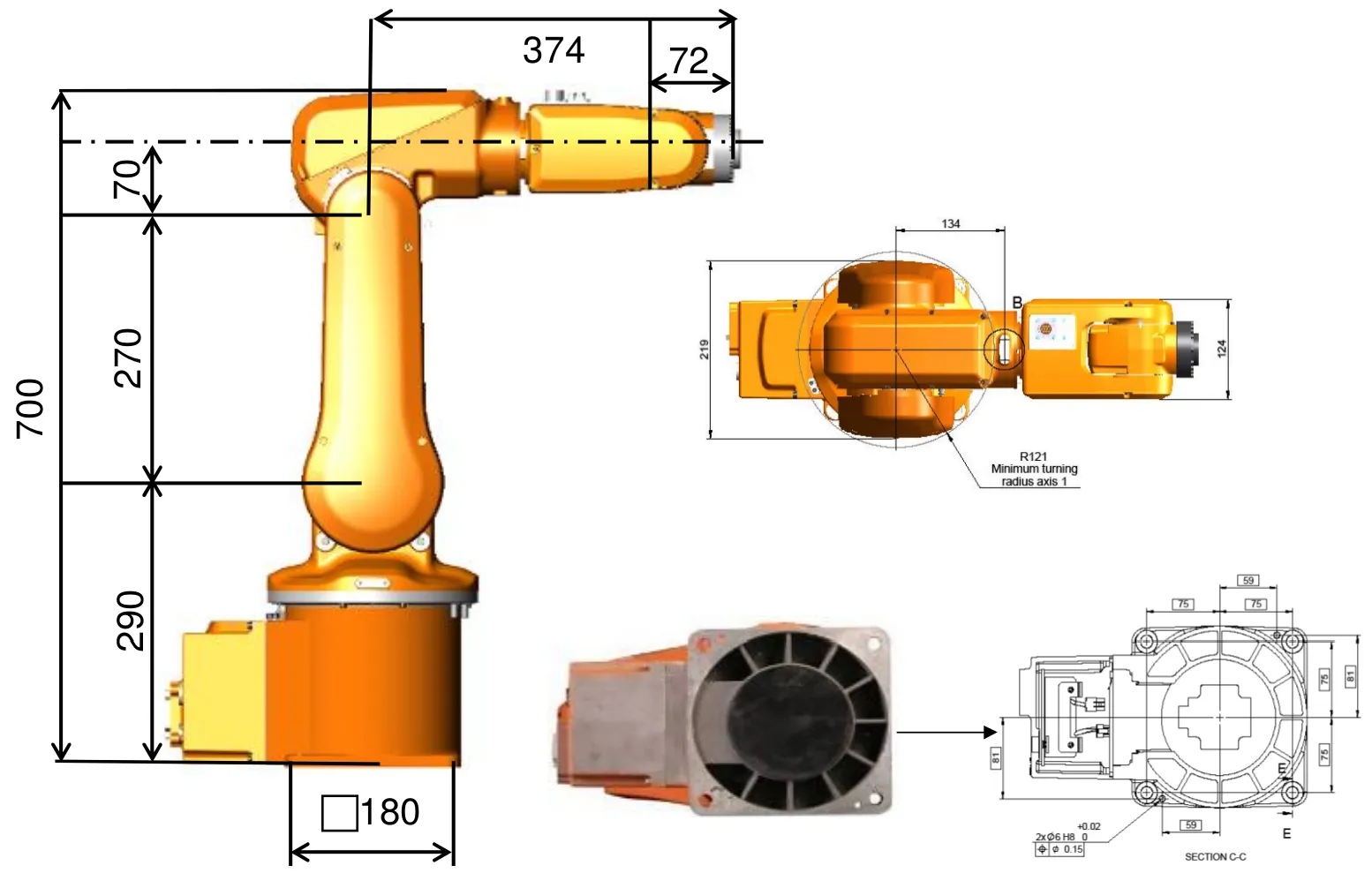
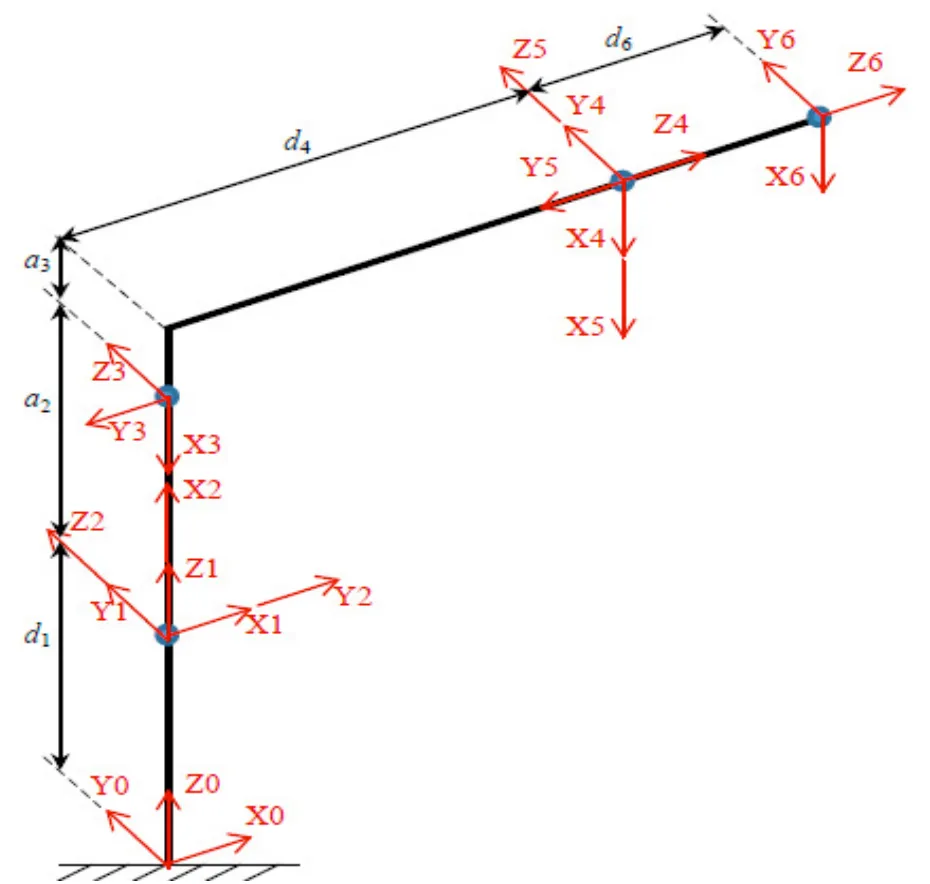
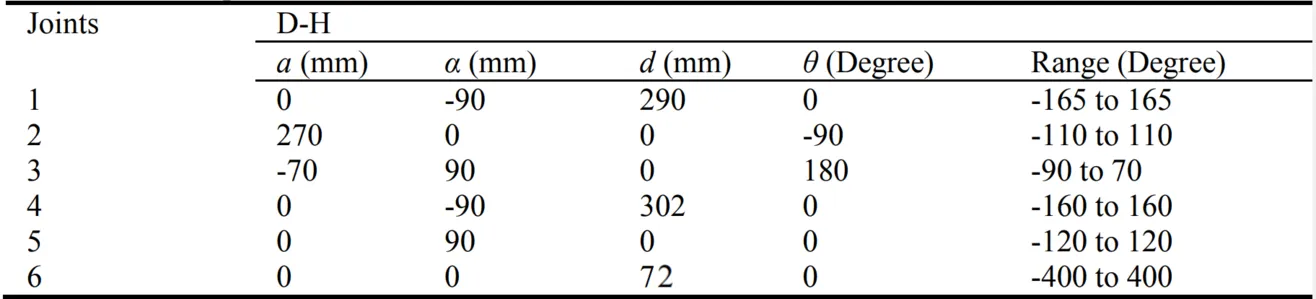 IRB120 DH parameters — robot images courtesy of abb.com, used here as reference only.